Getting Started with Email Marketing
 Carel Schrier
Email is the channel for creating and retaining loyal customers. A loyal customer is worth more than acquiring a new customer each time, which costs significant time and marketing budget. With email, you can give an existing customer that bit of extra attention to retain them and encourage a repeat purchase. Read on to find out how you can get started with email marketing.

Why email marketing?
This form of marketing is highly suited to customer retention and also offers many other benefits:
- An email to your customer base can quickly drive extra traffic to the website;
- Email lets you respond quickly to current events;
- The data (email addresses) is already available, making email an inexpensive form of marketing;
- Sharing knowledge and keeping customers informed is easy and is seen as an added service;
- Structural use of email keeps you visible to your customers.
This is how you build a relationship with customers. Your company gets noticed and customers become increasingly familiar with the products and or services you offer. Because your customers are fully informed and know the company well, the threshold for recommending your company to others keeps getting lower.
Which programmes can you use?
There are plenty of programmes you can use to send emails to your customer base. This requires setting up a CRM system by importing the entire customer base into the chosen programme. At its core, a CRM system consists of email addresses, and you can expand it further with more customer data as needed, such as name, date of birth, place of residence, company, and so on.
Many programmes can be used for free up to a certain number of email addresses. This makes them extra worthwhile and interesting. A well-known programme that is often used is MailChimp, an accessible platform you can get started with straight away. They also offer various plans, and the free tier already provides a good option for a customer base of up to 2,000 contacts. You can find more information on the options and plans here .
If you also want to grow smartly as a business alongside email marketing, we recommend starting with HubSpot’s products. HubSpot offers various free products, including a CRM system and email marketing. What’s more, this free access never expires and you can add up to 1,000,000 contacts. You can find all the options with HubSpot’s products and plans here .
As an official HubSpot Partner, we also offer the right support to help you get started with email marketing within HubSpot.
Consent: can you email anyone?
Unfortunately, it is not possible to email everyone. Dutch telecommunications law sets rules regarding unsolicited (commercial) communication. You may therefore only email people and companies when:
- they are already a customer of yours;
- you have received prior consent;
- the communication channel has been specifically opened up for certain messages.
Besides consent, it is also worth considering a double opt-in. With a double opt-in, you ask the owner of the email address for consent once again. This is not a legal requirement, but it helps you maintain a clean customer base and ensures you only email people who genuinely want to receive it.
In addition to consent, it is mandatory to include an opt-out in all commercial communication, including email. An opt-out gives the owner of the email address the option to unsubscribe from your commercial communication.
How do you personalise an email?
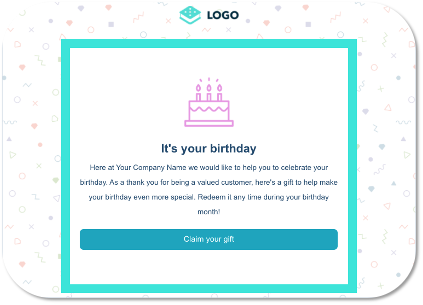
The open rate of personalised email is on average 26% higher than a standard mailing. It is therefore important to personalise your email. You can start simply by adding the first name and, if applicable, last name to the customer base against the correct address. This allows you to address your customer by their first name in the salutation or even in the subject line. A common and easy way to create extra goodwill is by surprising your customer on their birthday. With the right data, you can respond to this specific moment with a relevant gift.
How do you make the email relevant?
As you collect more customer data, you get more and more opportunities to increase email relevance. For example, it is worthwhile finding out customers’ interests. Women’s clothing will be more interesting to a female audience, and dog accessories are only relevant to customers who own a dog.
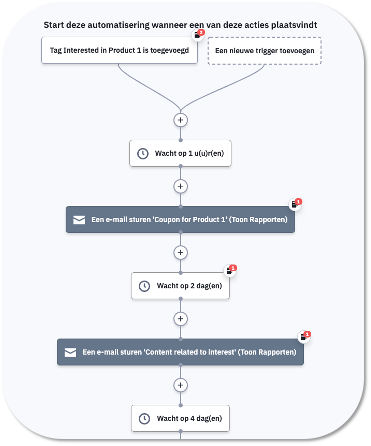
In addition to mapping out the interests of your customer base, you can also look at your customers’ behaviour. Website behaviour alone already gives you a lot of insight, allowing you to send the right email based on intent. If your customer has added a product to their basket but not completed the purchase, you naturally want to remind them of this great product and give them that extra nudge to complete the purchase after all. There are many such intents worth responding to. Within HubSpot email marketing, you can easily automate this process using flows. This lets you set standard rules to respond to different intents, as shown below.
The right email design
Before you design an email, it is important to be clear about its goal. The email design is closely tied to this, because the action that aligns with the goal needs to be displayed prominently.
Within HubSpot email marketing, it is easy to build your email from a standard template. There is plenty of choice, from fairly basic options to creative templates.
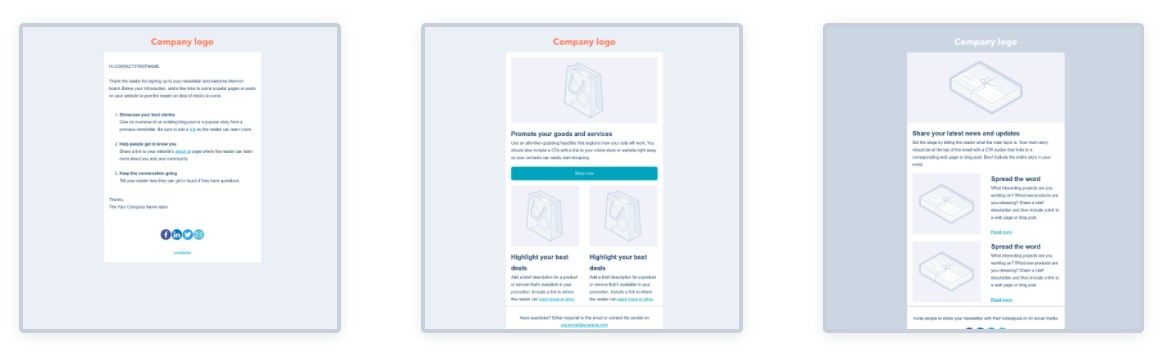
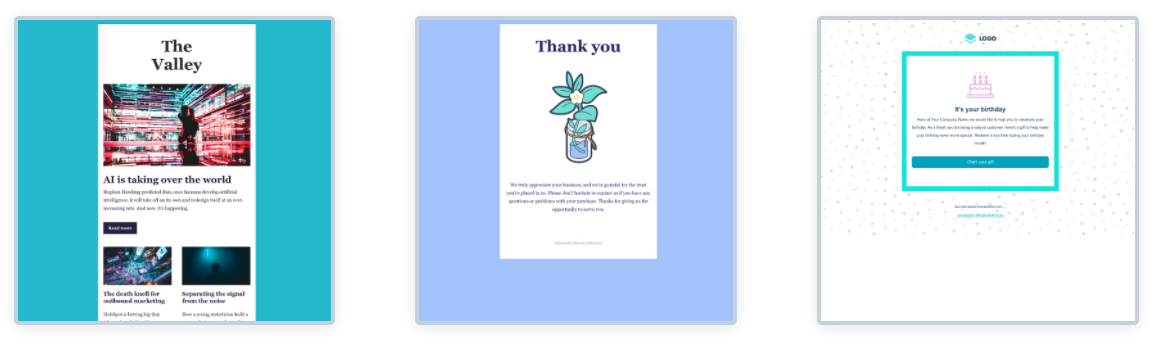
Next, it is important that the email reflects your company’s house style. Think of adjusting the colour code, font, tone of voice, use of imagery and logo. These elements are easy to adjust within the chosen template, and drag and drop lets you fit all your messages into the chosen template.
It is also important to make the email responsive, so that it displays correctly on different devices. Many customers will also open your email on their phone or tablet, and you want the content to be clearly visible there too. Within the programme, you can keep an eye on this while building and make adjustments.
If you want to further professionalise your email design and are looking for a design that seamlessly matches your requirements and house style, you can explore further. For example, use the article ‘15 of the Best Email Newsletter Templates and Resources to Download Right Now’ from HubSpot.
Test to optimise further
Small adjustments let you keep optimising an email further. It is therefore important to first measure the content you send, but also to start testing it. A small adjustment could well allow you to create much more impact.
Elements worth taking further steps on include, for example, the subject line to increase the open rate. Try testing with an emoticon or addressing your customer by their first name. Also collect data to see what the right moment is to send. You may be able to further increase traffic from the email to the website by phrasing the CTA (call to action) in the button slightly differently.
Want to get started with email marketing or take your email marketing to the next level? Check out the options at Addmark or contact us directly.