What is it?
With Data Studio you can combine data from external sources such as Google Sheets, Snowflake or Office 365 with your HubSpot data. You build datasets you can use straight away in segments, workflows or reports.
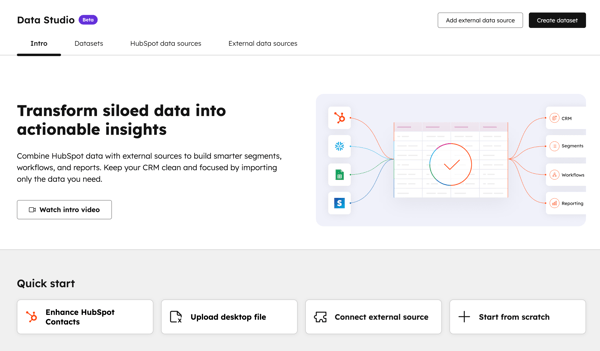
Many organisations work with data spread across multiple tools. With Data Studio you can combine all that information without complex data modelling or IT support.
What does it mean for you?
You work with one reliable view of the customer. Think of marketing data from Google Ads, sales data from HubSpot and product usage from an external system, all in one place. Less spreadsheet work, more insights.
For whom?
This beta is available to customers with Data Hub Professional or Enterprise.
Refreshed email editor: simplicity and speed
What is it?
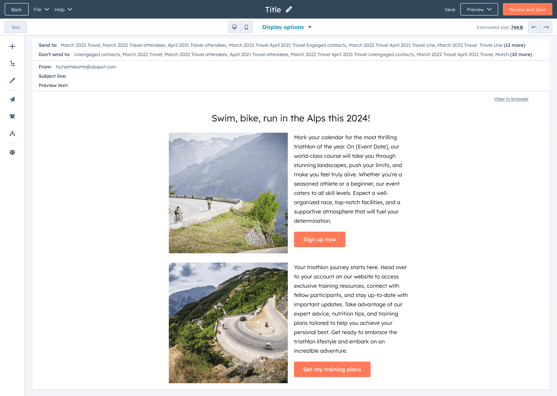
The email editor has had a complete redesign. It is lighter, faster and more intuitive, with improved drag-and-drop functionality and a more modern interface.
Why does it matter?
Email campaigns remain one of the most important channels. The old editor could feel slow or cumbersome. The new experience feels like working in a design tool, letting teams move faster.
What does it mean for you?
You create professional emails without technical knowledge, can adjust elements more easily, and see straight away how your email looks.
More creativity, less frustration.
For whom?
Available for all hubs.
Granular segment filters: real-time insight during segmentation
What is it?
With Granular Filter Insights, you see in real time how each filter affects your segment as you build it. You get instant insight into how many records match, which filters expand or narrow your audience, and which have no effect. This lets you build accurate segments faster, without guesswork.
Why does it matter?
Building segments used to be a matter of trial and correction, without a clear view of the effect of filters. Granular Filter Insights now provides real-time feedback, so you can test filters straight away, resolve issues faster and build accurate segments with more confidence.
What does it mean for you?
You build accurate lists faster than ever. No more surprises afterwards when sending campaigns.
Real-time insight means better targeting.
For whom?
All hubs and plans.
.png?width=1200&height=572&name=a925dff3-4f9d-4fcc-9676-12c2ce03d7b5%20(1).png)
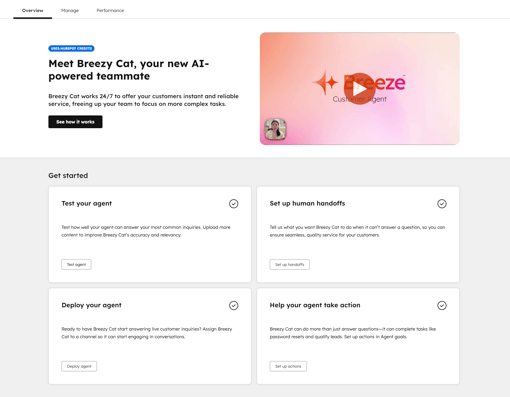
Customer Agent overview: AI with clarity and confidence
What is it?
The Customer Agent overview screen has been completely refreshed for a more intuitive start and a smoother experience. You see at a glance how your agent is performing and where optimisations are possible. This makes managing and improving your agent continuously simpler.
Why does it matter?
AI should feel simple, and that is exactly what the new Overview experience in HubSpot offers. It guides you step by step through setting up your Customer Agent and, after launch, continuously provides insights and recommendations. This way it acts as your built-in guide, from day one to every next step.
What does it mean for you?
You do not have to guess whether your AI is working well, you see it straight away. On top of that, HubSpot gives recommendations to make the agent smarter.
For whom?
Customer platform, Marketing, Sales, Service, Operations and Content hub. This functionality also requires the use of HubSpot Credits.
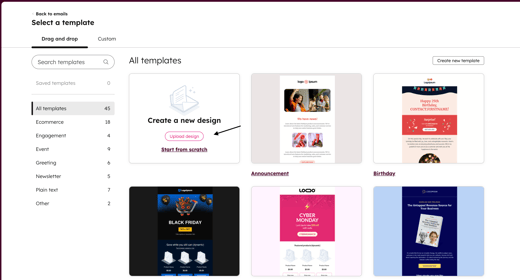
AI email template upload: switch faster, less work
What is it?
With AI Email Template Upload, you effortlessly import email designs from tools such as Mailchimp, Klaviyo or Figma. Upload or paste the HTML and HubSpot automatically converts it into a fully editable template.
Why does it matter?
Manually transferring email templates from tools such as Mailchimp or Figma is a thing of the past. With AI Email Template Upload, you simply paste the HTML and HubSpot turns it into a fully customisable drag-and-drop template within seconds, with no coding required.
What does it mean for you?
Within seconds you have your existing templates in HubSpot, fully customisable and ready to use.
Migrate effortlessly and keep building straight away.
For whom?
Marketing Pro and Enterprise.
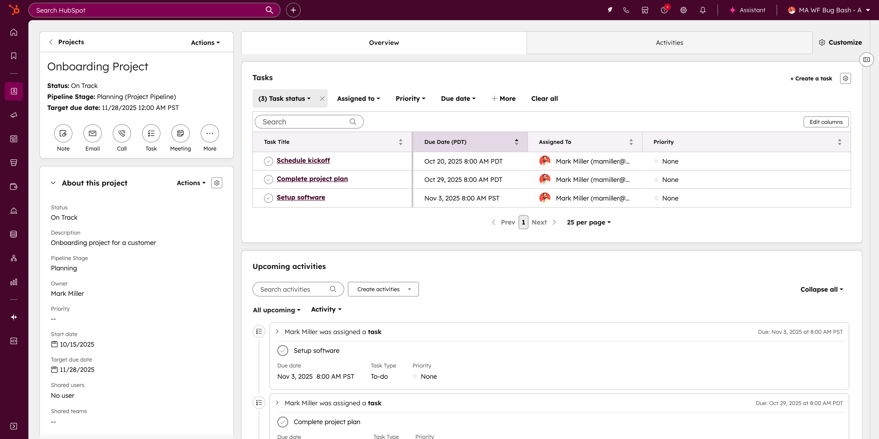
Tasks card in projects: always an overview
What is it?
Projects now include a Tasks card by default that shows all tasks linked to the project.
Why does it matter?
Tasks drive project completion, but until now it was not easy to view all tasks for a specific project in one place. The new Tasks card gives you a consolidated overview so you can quickly view and manage all project tasks.
What does it mean for you?
You always know exactly where you stand, who is doing what and what the next step is.
For whom?
All hubs and plans.
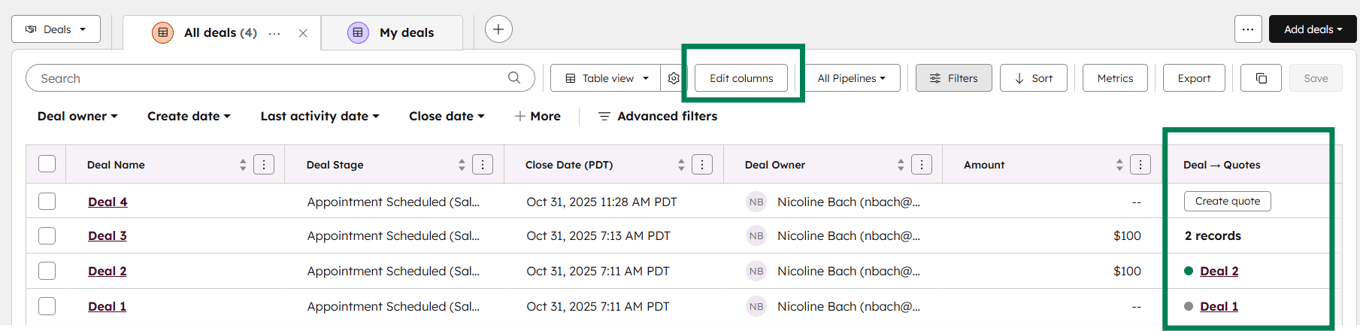
Quotes from the deal index: sell faster
What is it?
Commerce Pro and Enterprise users can now view and create quotes directly from the deal index in the CRM. This lets you see the status per deal and quickly create new quotes via the Deal → Quote column.
Why does it matter?
The refreshed Deal Index Table helps sales teams work faster and prioritise better. You see the status of each quote straight away, know which deals need attention, and focus your time on the most promising deals.
What does it mean for you?
You see the status of each quote straight away and can respond to opportunities faster.
For whom?
Commerce Hub and Customer Platform, Pro and Enterprise.
To conclude
With these new features, HubSpot once again proves that the platform keeps innovating. AI is playing an ever bigger role, from invoicing and reporting to real-time support during conversations, while improvements in campaign goals, analytics tabs and filters make working in HubSpot smarter and more efficient.
Curious which updates make the biggest difference for your organisation, or how to make the most of them in your processes? Our team is happy to think along with you and help you get the most out of HubSpot, so you not only keep up but actually gain the edge.