New HubSpot product updates
The latest HubSpot updates are now available. In this release, HubSpot introduces a series of improvements that provide more control, transparency and smart automation across marketing, sales, service and operations. Think of better UTM tracking, more flexible quotes, more targeted use of AI agents, more efficient relationship management and additional security insights.
Every update is designed to simplify daily workflows and reduce errors, manual work and loss of context. Below you'll find an overview of the key product updates and what they mean in practice for your organisation.
Highlights
Campaign UTM values
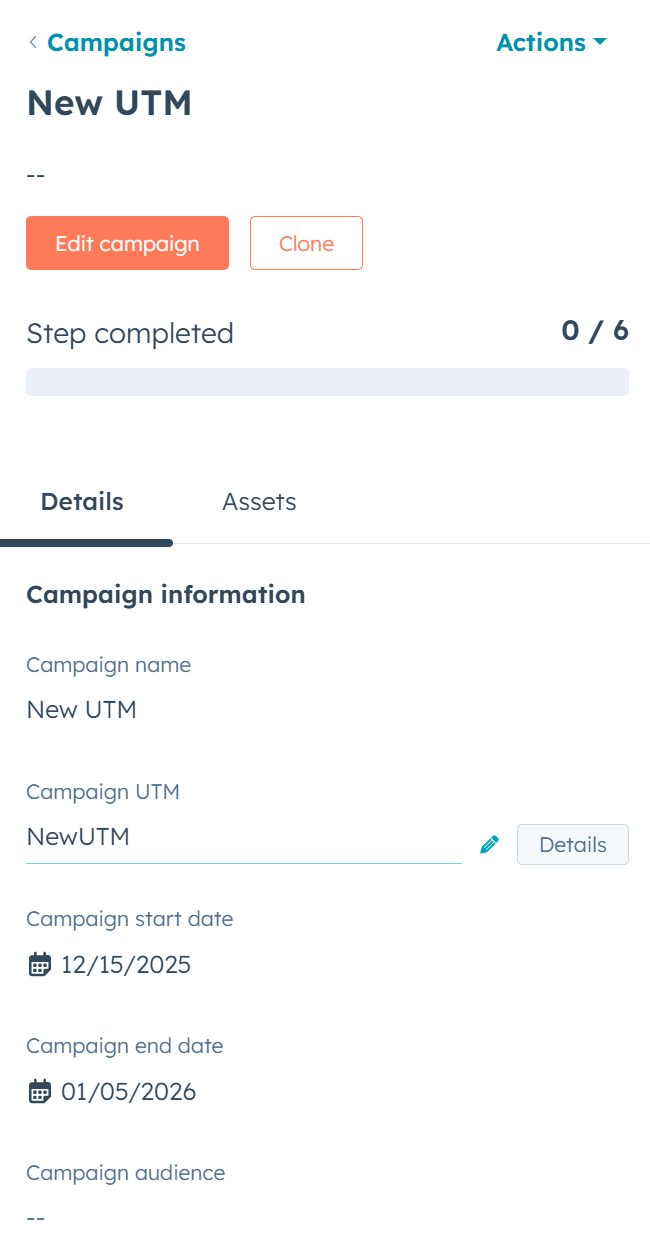
editing or removal
What is it?
Campaign users can now edit or remove Campaign UTM values, which provides more control and results in more accurate reporting.
Why does it matter?
This new functionality ensures accurate and up to date UTM tracking, allowing marketers to make data driven decisions faster and more easily. Full control over updating and removing UTMs keeps reporting clean and reliable. This prevents misleading insights and directly contributes to better campaign performance and a higher ROI.
How does it work?
-
Go to Campaigns and open a campaign
-
Edit the Campaign UTM via the pencil icon
-
Remove only secondary UTMs via Details
-
Removal is permanent and stops tracking on that UTM
Who is it for?
Marketing Hub Professional and Enterprise users
Edit the seller company and contact on quotes
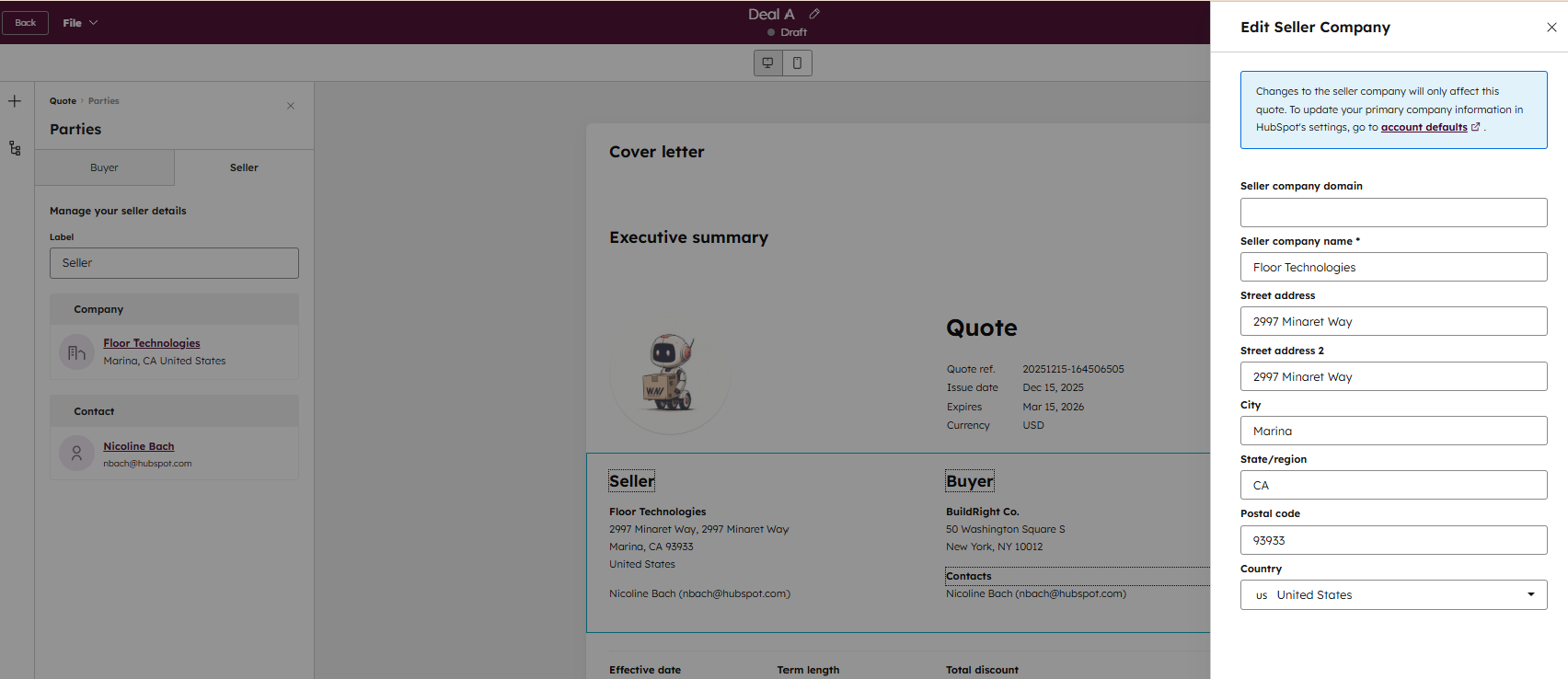
What is it?
Users can now change who the seller contact and seller company are on Quotes, giving users more flexibility and control over the information shown on their quotes.
Why does it matter?
Users want more control over the information presented on their quote, and by enabling edits to the seller, users can...
- Adjust who the seller on the quote is when a portal represents multiple sub-companies with different names and addresses
- Create quotes and assign the seller as a different user, so they can create quotes on someone else's behalf
How does it work?
The seller fields are filled in automatically: the seller company comes from the account defaults and the seller contact from the deal owner or the quote creator.
If you want to adjust the seller company, you can do so within the quote via Seller/Buyer or Parties. The change only applies to that specific quote, and a seller company name is always required.
Who is it for?
Commerce Hub Professional, Commerce Hub Enterprise
Deploy customer agent through workflows and chatflows
What is it?
You can now deploy customer agent directly through Workflows and Chatflows, giving you more control over if and how the agent interacts with customers. With this update you can trigger customer agent responses as part of your automated processes or existing bot logic, without extra setup or routing.
Why does it matter?
Data variables are essential for personalised workflows, but finding them often took a lot of time. That's why we added one powerful, unified search that lets you find any variable, from all your sources, in seconds. This makes it easier than ever to build accurate and personalised workflows.
How does it work?
Automate smarter
Deploy the customer agent only where it truly adds value, using smart per-channel workflow branches.
Examples
Manage credits
Use the customer agent selectively, not on every interaction.
Who is it for?
Content Hub, Marketing Hub, Data Hub, Sales Hub and Service Hub (Professional & Enterprise).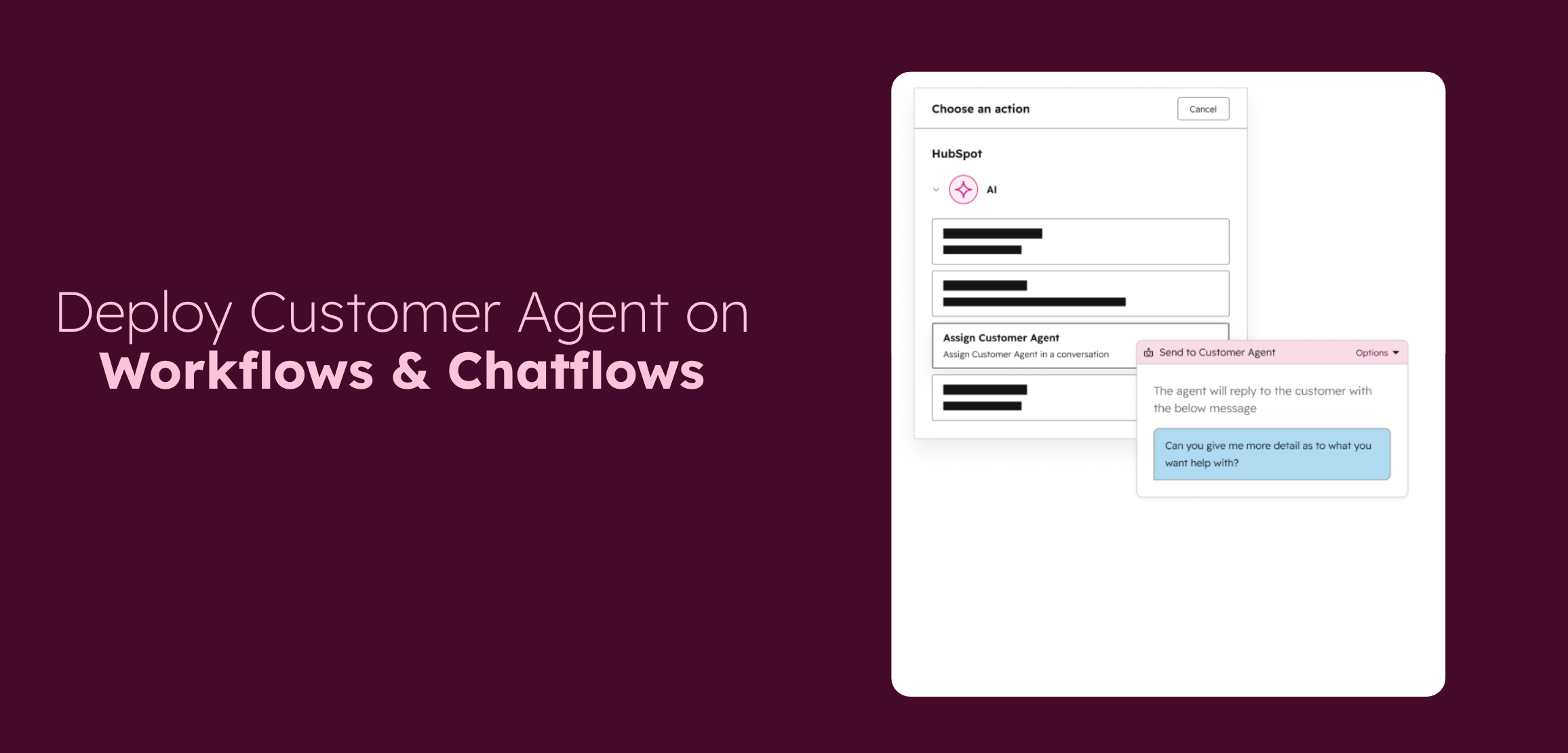
Segment-powered knowledge bases
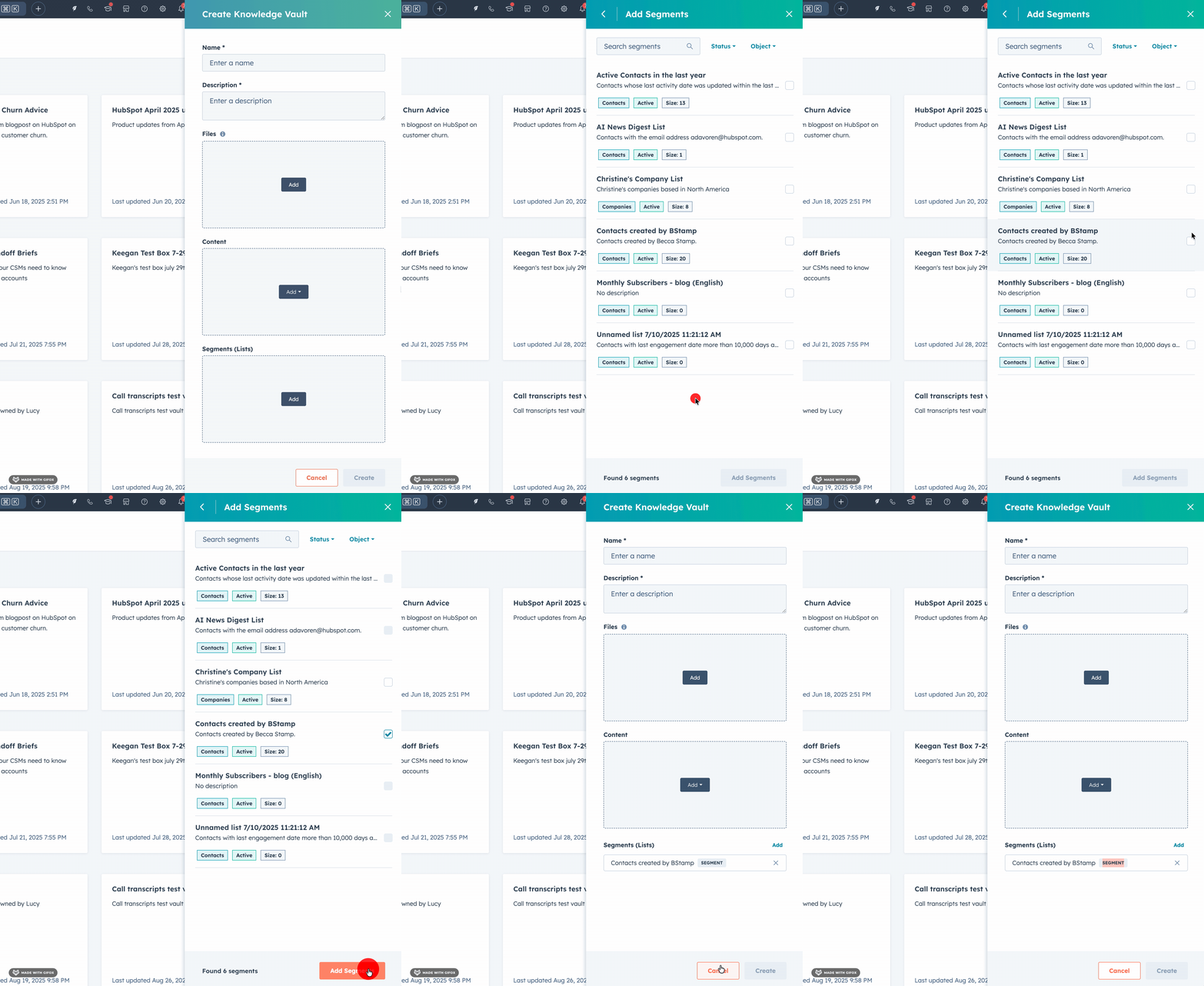
What is it?
Knowledge Vaults now stay automatically synced with selected HubSpot segments (active lists), so the Vault always contains up to date Contacts, Companies, Deals or Tickets that meet your criteria.
Users need Knowledge Vaults that stay accurate and up to date without manual maintenance, eliminating the risk of outdated or irrelevant information and ensuring AI assistants and agents always have access to the most recent CRM records.
What does this mean for you?
To create a Knowledge Vault powered by an active list, users select the object type (Contacts, Companies, Deals, Tickets), choose an existing active segment, give the Vault a name and description, and optionally link it to specific agents or assistants.
Who is it for?
All hubs and tiers
Create contacts from the Chrome extension
What is it?
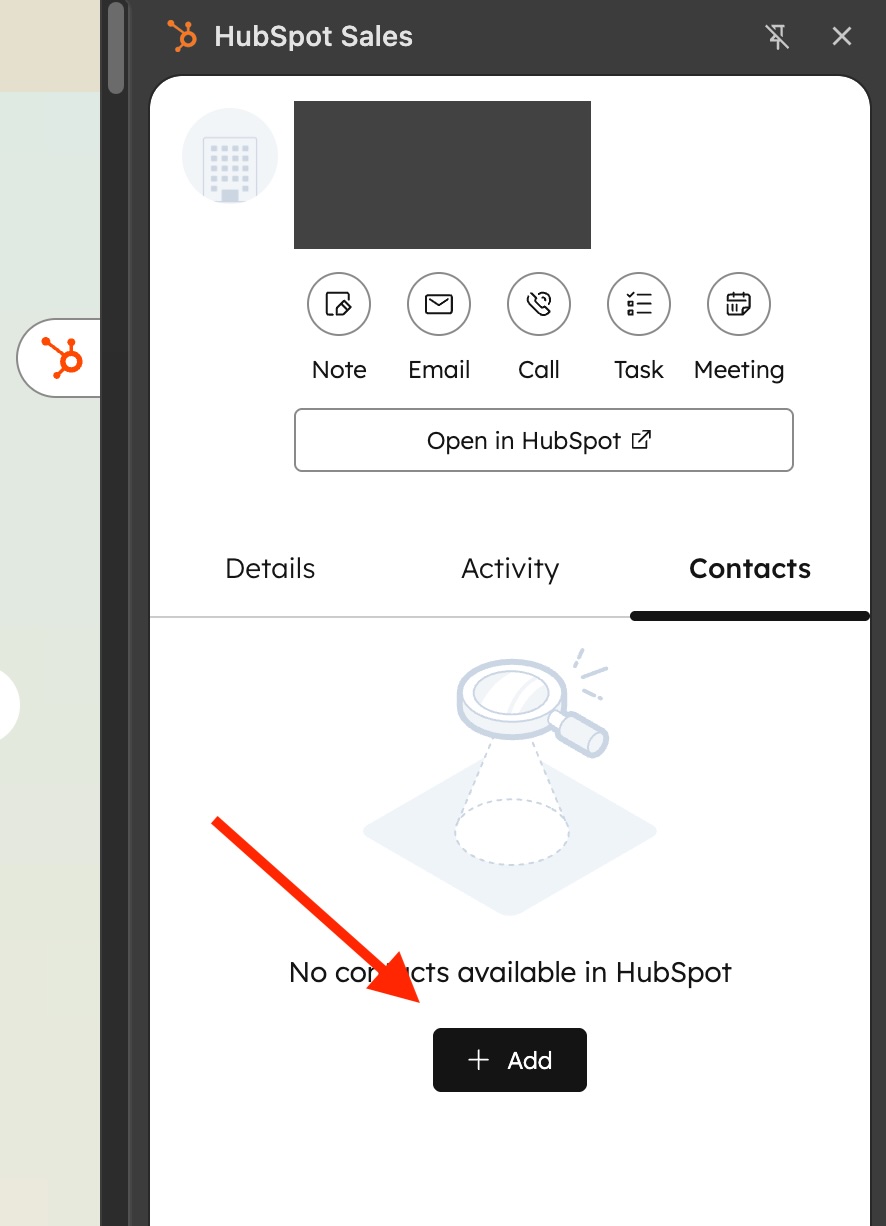
You can now create contacts directly in the HubSpot Chrome extension while viewing a company's website, with automatic association to that company.
Why does it matter?
Prospecting requires momentum. Where you previously had to interrupt your research to manually create and link a contact in HubSpot, you can now do it directly while browsing. This lets you capture contact information immediately, keeping all relationship data automatically connected without losing context.
How does it work?
- Open the Chrome extension while viewing a company website.
- Navigate to the Contacts tab.
- Click the +Add button, which opens the Add Contact form.
- From here you can:
- Search for and add an existing contact, or
- Create a new contact
- The contact is automatically linked to the company you're viewing, so everything stays connected, with no extra steps.
Who is it for?
all HubSpot products and tiers.
'Grand total' section on quotes
What is it?
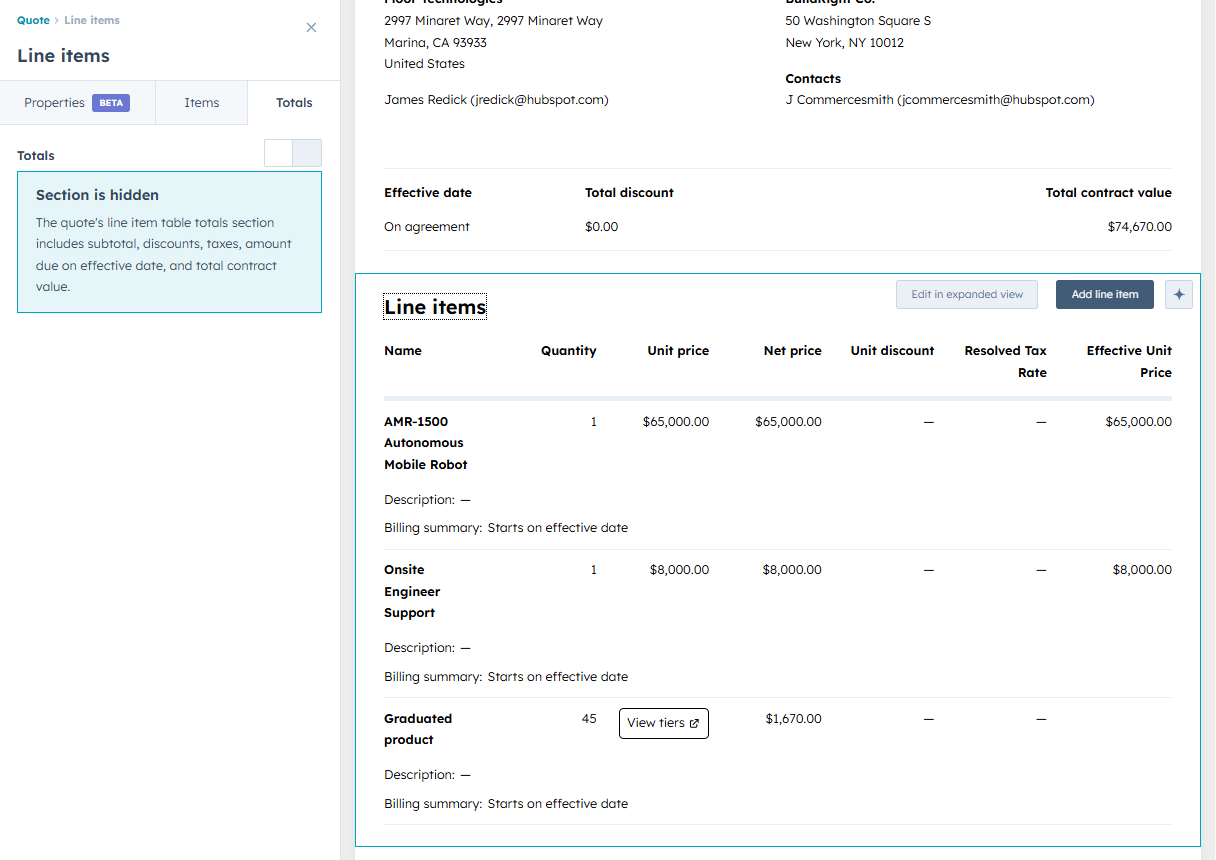
You can now show a subtotal at the quote level, discount, taxes and the total after tax, so you can better summarise the information on the quote and communicate your offer more transparently to buyers.
Why does it matter?
Previously, only the total contract value was shown, with no insight into discounts or taxes. Now you can show a clear breakdown of subtotal, discounts per line item and taxes. This makes the quote transparent, and the buyer knows exactly what they're agreeing to.
How does it work?
In the quote and template editor, you can add an extra totals section to the line item table via the Totals tab. Here you determine which totals are shown, adjust labels (such as changing Taxes to VAT) and turn fields on or off.
For recurring line items you choose whether to show a simple subtotal or a subtotal broken down by frequency. Note: in templates, discounts, taxes and totals are not populated, as these are only calculated when the quote is created.
Who is it for?
Commerce Hub Professional, Commerce Hub Enterprise
See where you're logged in to HubSpot
What is it?
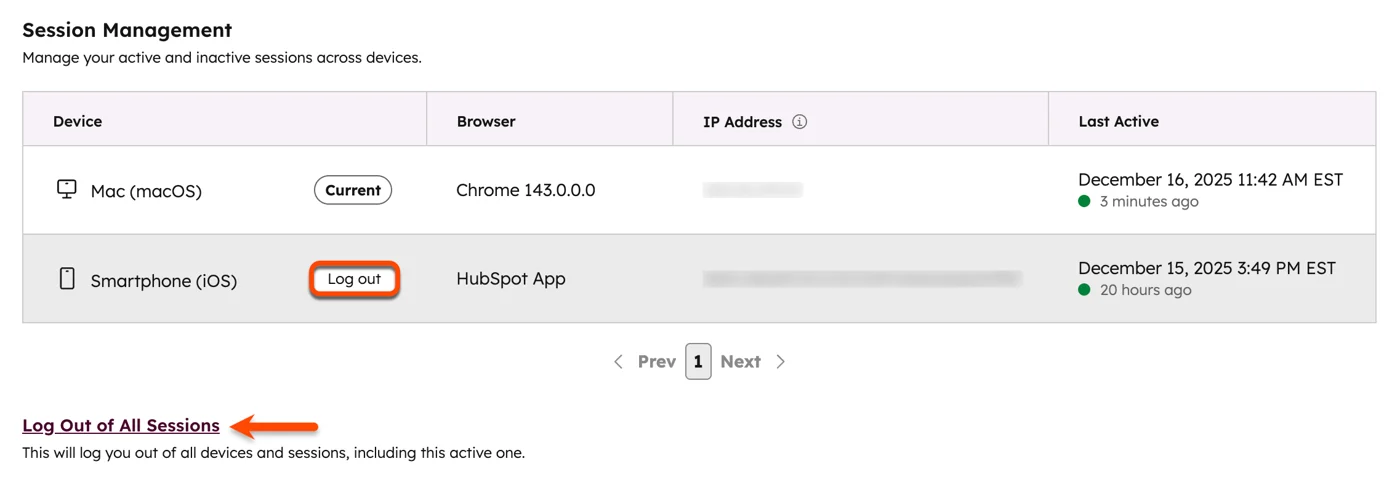
Session Management is a security feature that lets users see which devices they're logged in to HubSpot on. Users can view information such as device type, operating system, browser, IP address and the date the session was last active. Finally, users can choose which sessions to log out of, except their current session.
Why does it matter?
This feature gives more insight into where a user is logged in. It's a security best practice to make sure no outdated sessions remain active, especially not across multiple devices or browsers.
How does it work?
Users can view their sessions by going to Settings -> General -> Security tab and scrolling to the bottom of the page. For more information, see the knowledge base article .
Who is it for?
All hubs and tiers
In closing
With these updates, HubSpot strengthens its role as the central platform for growth, collaboration and data driven work. By offering more flexibility in automation, reporting, AI applications and security, you can set up processes more intelligently without added complexity. Many improvements work instantly and automatically, so you get results faster. Curious which updates matter most for your team? We're happy to think it through with you.