Cloning marketing emails with Simple Workflows
What is it?
When cloning a regular Marketing Email that has a simple workflow configured, you'll now see a new Copy Simple Workflows checkbox in the clone panel. Enabling it automatically duplicates the email's associated simple workflows, so you don't have to rebuild them from scratch.
Why does it matter?
Cloning an email used to mean rebuilding all associated simple workflows from scratch for the new email. For marketers who rely on post-send automations, such as adding contacts to a list after a link click or setting a property after an open, this meant repetitive setup when creating variations for different campaigns or audiences. Now workflows are carried over automatically, saving time and reducing the risk of misconfigured automations.
How does it work?
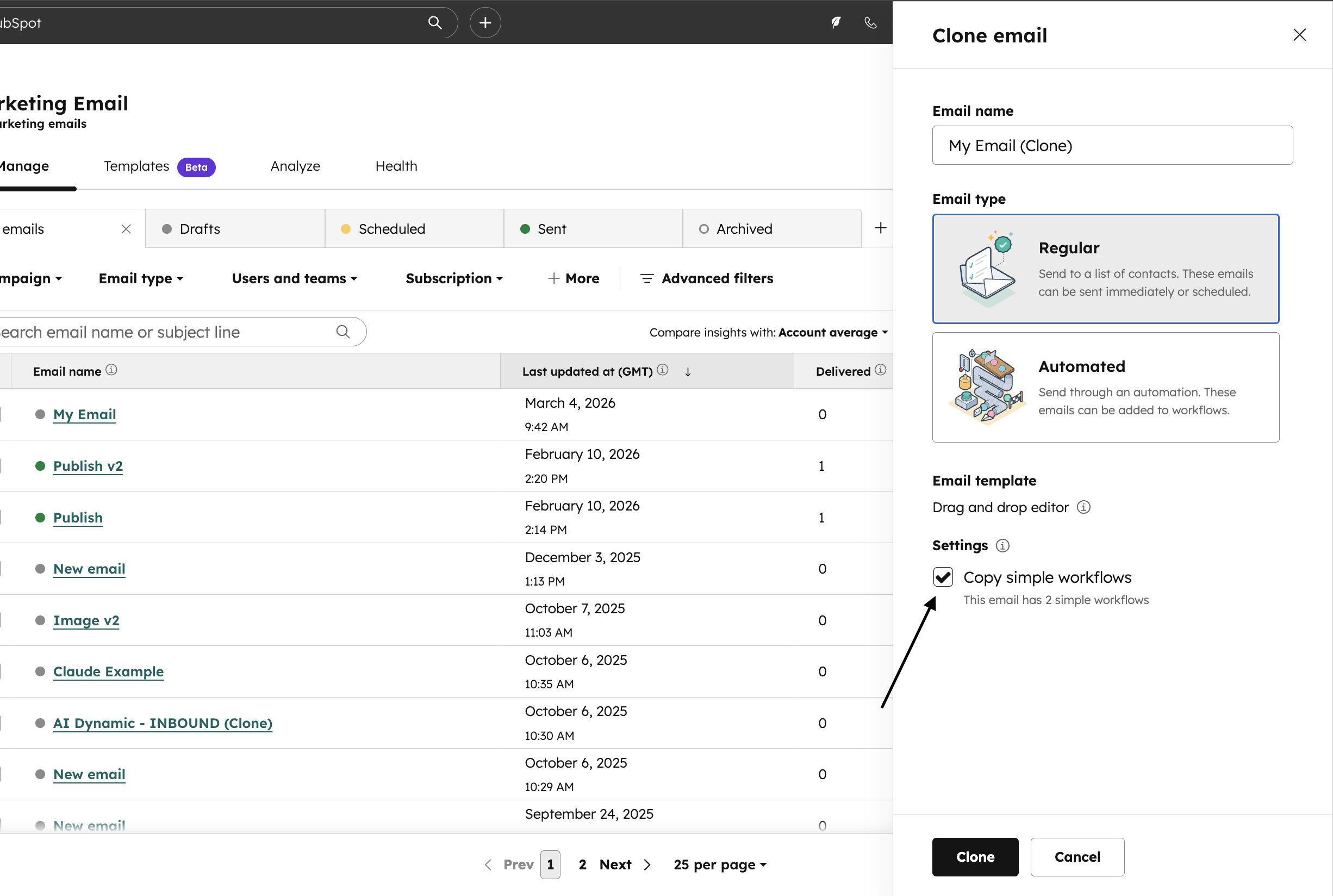
- On the Marketing Email overview page, select the Clone option for a regular email with one or more simple workflows.
- A new Copy Simple Workflows checkbox appears in the clone panel, under Settings.
- The checkbox is disabled by default. Select it to copy the workflows, or leave it unchecked to clone the email without the workflows.
- Click Clone to create the new email with (or without) the duplicated simple workflows.
Who gets it?
Marketing Hub Starter, Marketing Hub Professional, Marketing Hub Enterprise
What is it?
You can now use the aliases from your connected Microsoft Outlook account to send emails from the CRM.
Why does it matter?
Aliases let users communicate from more targeted email addresses that are still part of the same account. Your company may have different branding for different products you sell, and you change your From address depending on who you're emailing.
Previously, to use aliases, Outlook users had to send emails from the Outlook app, add the BCC address, and manually add their alias to a setting to log the email. This meant users couldn't fully benefit from HubSpot features such as bulk enrolling in sequences.
How does it work?
HubSpot supports Microsoft email aliases through a beta integration with the Microsoft Graph API. Because this API is still in beta, functionality may change in future.
To make your aliases visible in HubSpot, briefly disconnect your personal inbox and reconnect it via:
Settings → General → Email.
After reconnecting, your aliases automatically appear in the 'From' field when you send an email from the CRM.
Note: reconnect your inbox within 10 minutes to prevent emails from failing to sync during the disconnection.

Who gets it?
All hubs and editions
What is it?
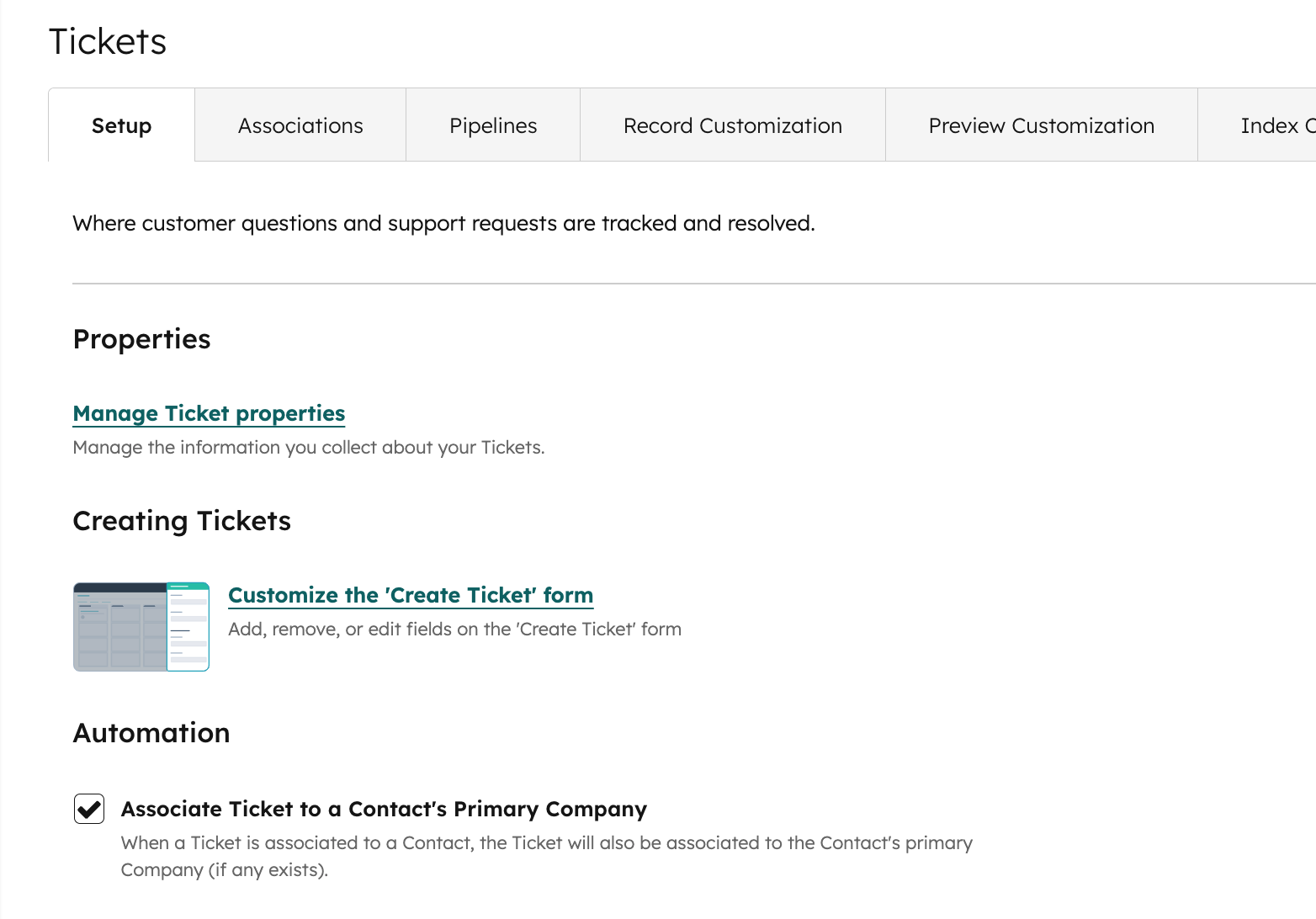
You can now configure whether HubSpot should automatically associate a ticket with the associated contact's primary company. When a ticket is associated with a contact, HubSpot can now be configured to:
Automatically associate the ticket with that contact's primary company (default behaviour)
Not associate it automatically (you manage company associations manually)
Why does this matter?
This automation setting gives admins more control over how tickets are associated with objects, making it easier to manage HubSpot CRM settings to match business needs and improving data accuracy and operational effectiveness.
How does it work?
To update this setting:
- Go to Settings
- Navigate to Data Management > Tickets > Set up
- Toggle the setting on or off as needed
Who gets it?
All hubs and tiers
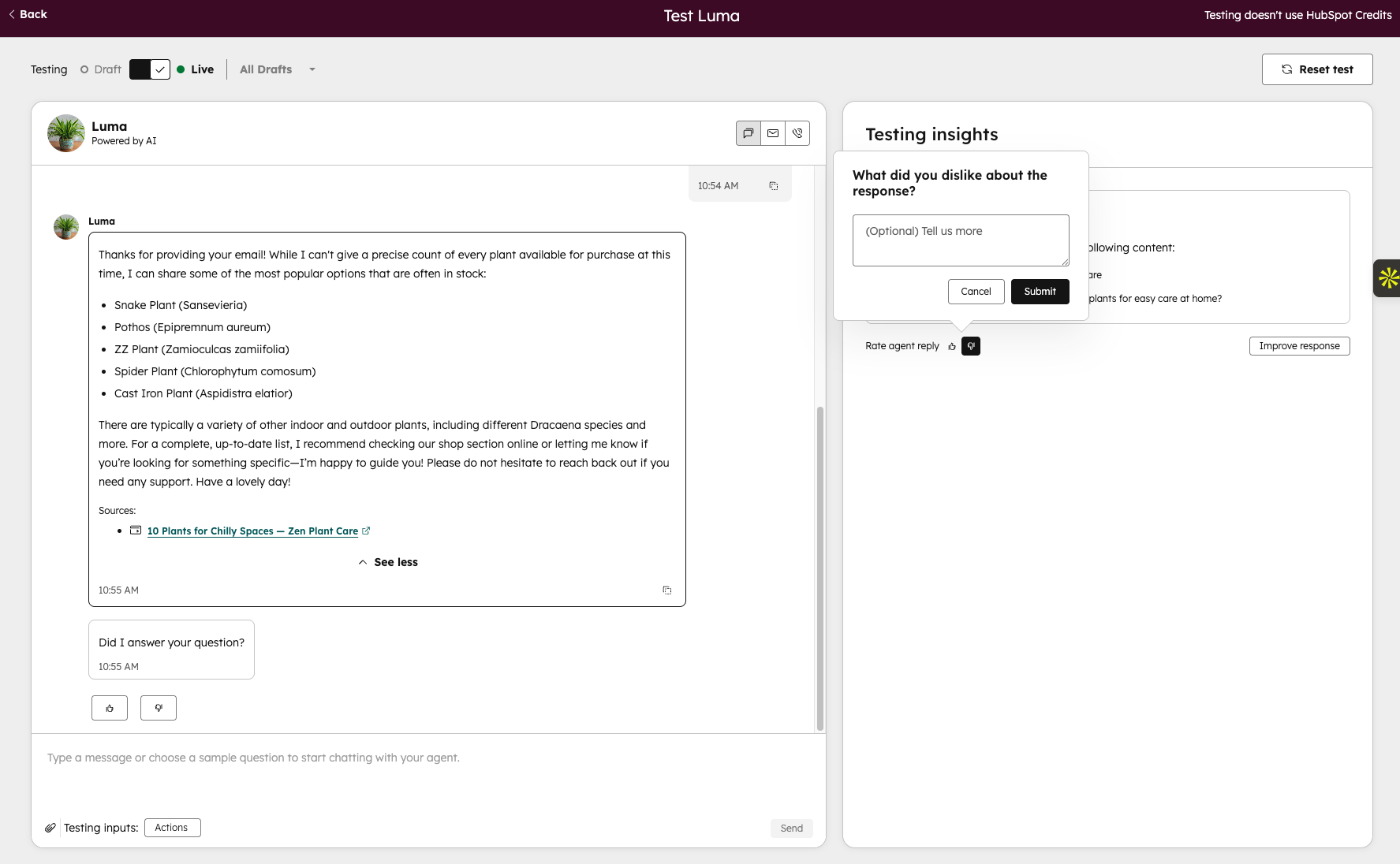
With 'Rate answer', admins can give a thumbs up or thumbs down directly in the tester for individual agent answers. After rating, admins can optionally leave a comment explaining what they liked or disliked about the answer.
Why does it matter?
Testing your agent is only half the work; understanding why an answer is good or bad is what drives real improvement.
With 'Rate answer', admins can directly indicate which answers work well and which need attention. This feedback helps teams spot patterns, flag recurring issues and make the agent smarter over time.
How does it work?
Have a conversation in the tester as you normally would.
A 'Test insights' panel opens on the right, asking you to share what you liked or disliked
At the end of each message insight, once the answer has been generated, click 👍 or 👎 to rate it
Optionally add a comment and click 'Send' your feedback is saved with that answer
Ratings are recorded per answer, so you can give nuanced feedback on a full conversation rather than rating the interaction as a whole.
Who is it for?
Content Hub, Marketing Hub, Data Hub, Sales Hub, Service Hub and Smart CRM (Professional & Enterprise).
What is it?
The Customer Agent can now understand and respond to images your customers share in the conversation.
How does it work?
You don't need to do anything to set this up. Your agent automatically processes any images your customers add to their messages.
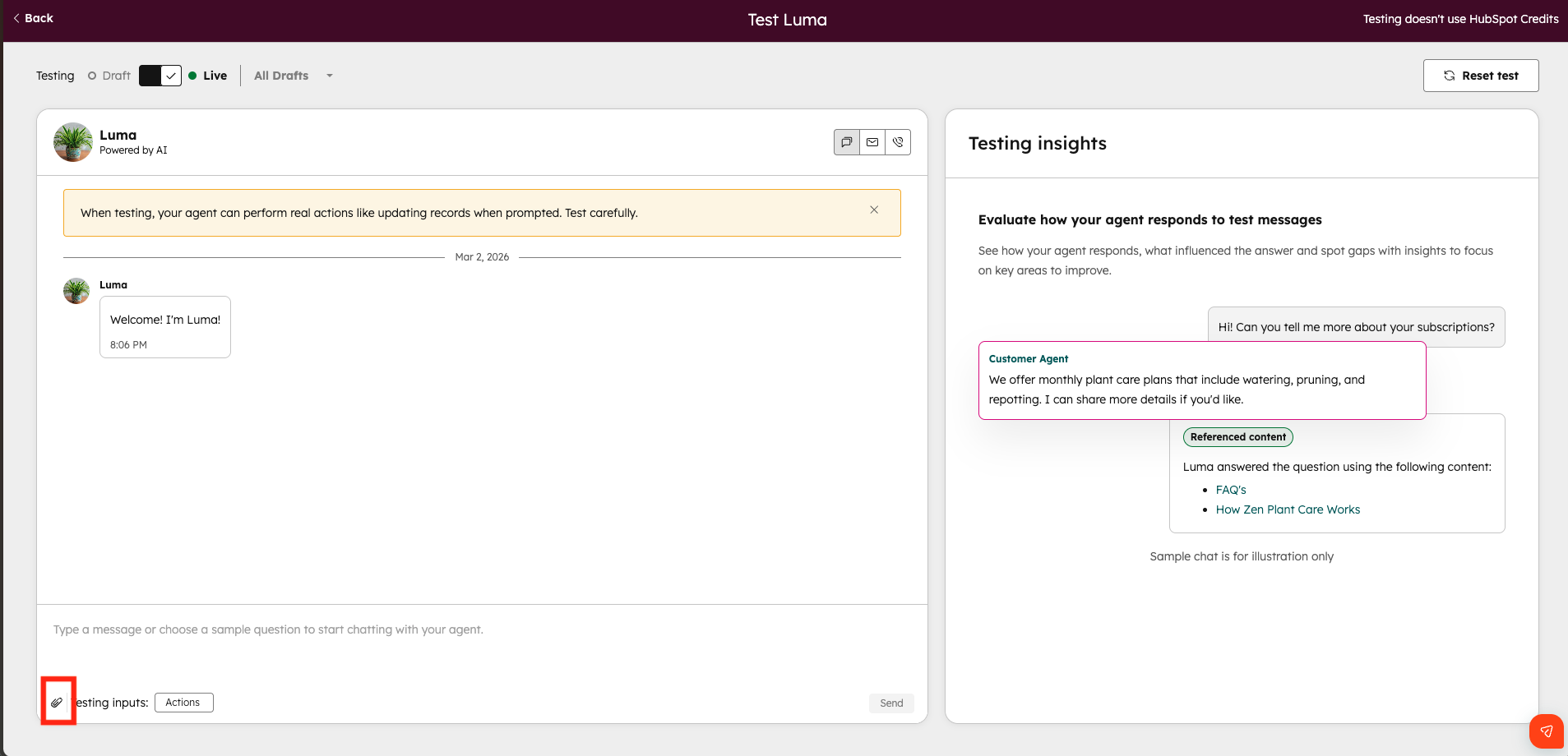
You can test this functionality in the tester, though. Open the tester and click the attachment icon to upload an image.
Who gets it?
Content Hub, Marketing Hub, Data Hub, Sales Hub and Service Hub (Professional & Enterprise).
What is it?
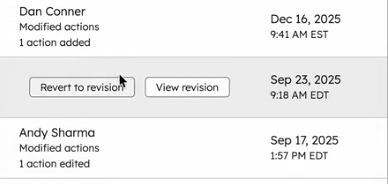
You can now restore your workflows to a previous version using revision history! If a change doesn't work as expected, you can quickly restore an earlier revision and keep building from there.
How does it work?
From the workflow editor, open View > Revision history to see a list of previous changes. You can see who made each change and when, then select 'Restore to revision' to bring back that version. Restoring creates a new revision matching the selected version, so you can always go back again if needed.
Who gets it?
Marketing Hub, Data Hub, Sales Hub, Service Hub and Smart CRM (Professional & Enterprise).
Want to know how HubSpot can help you?